Logical Operations
Adobe Photoshop CC: Part 2

以 199 美元(原价 399 美元)购买一年 Coursera Plus,享受无限增长。立即节省

Logical Operations

Adobe Photoshop CC: Part 2

Bill Rosenthal

位教师:Bill Rosenthal

包含在 Coursera Plus

深入了解一个主题并学习基础知识。
9 小时 完成
灵活的计划
自行安排学习进度
深入了解一个主题并学习基础知识。
9 小时 完成
灵活的计划
自行安排学习进度

您将学到什么

  • In this course, you will use more advanced features of Adobe Photoshop.

要了解的详细信息

可分享的证书

添加到您的领英档案

最近已更新!

December 2025

作业

1 项作业

授课语言:英语(English)

了解顶级公司的员工如何掌握热门技能

Petrobras, TATA, Danone, Capgemini, P&G 和 L'Oreal 的徽标

该课程共有7个模块

Adobe® Photoshop® offers an abundance of tools for you to create visually exciting images. As you may recall from your previous training and experience, there are two types of images in Photoshop, raster and vector. It's important to choose the correct type for your project, so that your final visuals look clear, sharp, and professional.

涵盖的内容

7个插件

Consider a common scenario. You're designing a website for a client. You've spent two days creating an eye-catching image for the home page, and the client is so thrilled, she wants you to enlarge it to use as the background of a trade show booth. Your 72 dpi, 600-pixel-wide website graphic must be blown up for print, with an image size of 300 dpi and a document size of 36 inches wide. If you've drawn it as a raster image, enlarging the image will make it so blurry, you probably won't recognize it. Be prepared to sit back down at the computer for another two days to recreate it at the higher resolution. However, if you've drawn it as a vector image, there's no problem. In just a few minutes, you can enlarge it and it will be just as sharp and crisp as the smaller version. This is a great benefit of vector images, and Adobe® Photoshop® provides a robust toolset for creating vector images, including paths, shapes, and type.

涵盖的内容

7个插件

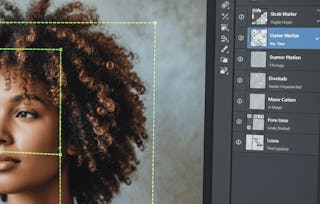
From your past training and experience, you know that Adobe® Photoshop® layers are a powerful way to organize and edit your image files. In this lesson, you will explore advanced techniques that utilize layers. Some of these techniques allow you to hide and show parts of a layer. Other options enable special effects to be applied to images, such as blending, drop shadows, glows, bevels, strokes, and gradient and pattern overlays. You can turn layers into Smart Objects to save time and streamline workflow. Snapshots of layer settings can be saved as layer comps, allowing you to save many versions of one design in a single Photoshop file. Knowing how to work with layers greatly expands your design capabilities.

涵盖的内容

7个插件

Sometimes you might need to modify a large number of different images in exactly the same way. For instance, you might want to drop 60 images into a catalog, and each image must be reduced by the same amount, they need to be cropped to the same width and height, and they must have the same color border applied. Modifying each one by hand would be time consuming. Adobe® Photoshop® and Adobe® Bridge provide a quick and easy way to apply the same actions to multiple images to streamline your workflow.

涵盖的内容

5个插件

Photoshop's video capabilities have expanded with the release of Creative Cloud, enabling you to use the power of Photoshop's image editing tools to touch up and edit video. With the increase in social media websites, the use of video is on the rise. Knowing how to create engaging video is becoming a crucial part of the designers' toolbox, and Adobe® Photoshop® makes it easy.

涵盖的内容

5个插件

Everyone practices project management to some degree. For example, making dinner requires a plan, such as recipes. You must secure assets with a trip to the store, and it is a good idea to have a budget to make sure everything is affordable. Certainly the objective is to eat, but who is the dinner for? Meatloaf and green beans might be your family's favorite, but impressing your boss might require filet mignon and grilled asparagus. You will need to prepare each part of the dinner at the correct time, so everything ends up on the table together. What tasks can you delegate? If you are an especially good project manager, you might have the kids set the table and your spouse chop onions.

涵盖的内容

5个插件

You'll wrap things up and then validate what you've learned in this course by taking an assessment.

涵盖的内容

1个作业2个插件

位教师

Bill Rosenthal
Logical Operations
6 门课程1 名学生

提供方

Logical Operations

从 Design and Product 浏览更多内容

人们为什么选择 Coursera 来帮助自己实现职业发展

Felipe M.
自 2018开始学习的学生
''能够按照自己的速度和节奏学习课程是一次很棒的经历。只要符合自己的时间表和心情,我就可以学习。'
Jennifer J.
自 2020开始学习的学生
''我直接将从课程中学到的概念和技能应用到一个令人兴奋的新工作项目中。'
Larry W.
自 2021开始学习的学生
''如果我的大学不提供我需要的主题课程,Coursera 便是最好的去处之一。'
Chaitanya A.
''学习不仅仅是在工作中做的更好:它远不止于此。Coursera 让我无限制地学习。'
Coursera Plus

通过 Coursera Plus 开启新生涯

无限制访问 10,000+ 世界一流的课程、实践项目和就业就绪证书课程 - 所有这些都包含在您的订阅中

通过在线学位推动您的职业生涯

获取世界一流大学的学位 - 100% 在线

加入超过 3400 家选择 Coursera for Business 的全球公司

提升员工的技能,使其在数字经济中脱颖而出

常见问题