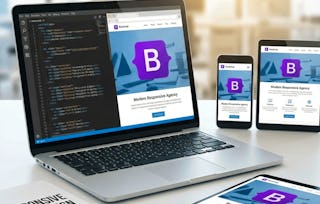
Learners will be able to design, construct, customize, and optimize fully responsive websites using HTML5, CSS3, JavaScript, and Bootstrap. By completing this course, they will master key web development skills including creating logos and hero sections, structuring navigation, integrating media sliders, managing content layouts, and refining footers for professional presentation.
This hands-on course is designed to help learners apply responsive design principles, implement accessibility features, and adapt websites across devices with confidence. Each module blends theory with step-by-step practical projects, ensuring learners not only understand concepts but also develop real-world coding experience.
What makes this course unique is its project-based approach: instead of abstract examples, learners build a fully functional responsive website from scratch. Along the way, they gain practical insights into design alignment, typography optimization, image handling, and device-specific adjustments—skills highly valued in the industry. By the end of the course, learners will be able to deliver polished, SEO-friendly, and mobile-optimized websites that meet modern professional standards.
This module introduces learners to the foundations of building a responsive website using HTML5, CSS3, JavaScript, and Bootstrap. It covers essential setup tasks such as linking external libraries and creating a navigation framework, followed by branding the website with a professional logo. Learners will gain practical skills in structuring web pages, linking resources, and designing scalable logos that align with modern web standards.
涵盖的内容
6个视频3个作业
显示有关单元内容的信息
6个视频•总计53分钟
Introduction to Building Website•6分钟
Linking Boot Strap File•7分钟
Creating Website Logo•7分钟
Converting Logo to SVG•11分钟
Styling the Logo•11分钟
Customizing the Logo•11分钟
3个作业•总计50分钟
Kickstarting the Website•30分钟
Foundations & Setup•10分钟
Branding the Website•10分钟
Navigation & Visual Enhancements
第 2 单元•小时 后完成
单元详情
This module guides learners through the process of creating and refining website navigation using Bootstrap components and custom CSS styling. Learners will explore how to position and style navigation links, adjust visual effects, customize logos, and preview the overall layout for consistency. Additionally, the module introduces interactive elements such as Bootstrap sliders, image scaling, and data sliding to enhance user engagement with responsive and visually appealing design features.
涵盖的内容
10个视频3个作业
显示有关单元内容的信息
10个视频•总计76分钟
Positioning the Link•8分钟
Changing the Effects of Link•6分钟
Customizing the Background•8分钟
Styling the Navigations•6分钟
Changing the Logo Color•9分钟
Checking the Oerview of Site•8分钟
Bootstrap Slider in Website•11分钟
Scaling Image to File•9分钟
Data Sliding in Website•6分钟
Margins in Nav Bar•6分钟
3个作业•总计50分钟
Navigation & Visual Enhancements •30分钟
Building the Navbar•10分钟
Interactive Media with Bootstrap•10分钟
Crafting Content & Layouts
第 3 单元•小时 后完成
单元详情
This module focuses on building the core content and layouts of a responsive website by combining text, images, lists, and structured sections. Learners will explore best practices for adding hero content, aligning text with visuals, positioning detailed content, and using lists for structured data. Additionally, the module covers resizing, spacing, and device-specific adjustments to ensure that the website maintains a professional and accessible design across all screen sizes.
涵盖的内容
15个视频4个作业
显示有关单元内容的信息
15个视频•总计115分钟
Adding Text on website•8分钟
Text on the Image•8分钟
Positioning the Text Strip•7分钟
Changing the Color•6分钟
Working on the Content•7分钟
Resizing the Image•7分钟
Positioning the Second Image•7分钟
Text on top of the Image•6分钟
Positioning Detailed Text•10分钟
Positioning Two Text•7分钟
Adding List in the Content Area•8分钟
Adding Image and Text•8分钟
Working on the Added List•9分钟
Working on the Image Gaps•7分钟
Adding to the Custom Devices•8分钟
4个作业•总计60分钟
Crafting Content & Layouts•30分钟
Untitled•10分钟
Working with Images & Text•10分钟
Lists, Media & Custom Sections•10分钟
Footer, Polishing & Responsiveness
第 4 单元•小时 后完成
单元详情
This module emphasizes the final stages of website development, focusing on footer design, layout refinement, and responsive adjustments. Learners will gain hands-on experience in building structured footers with navigation and social media integration, applying design enhancements for text and logos, and implementing advanced responsive techniques. By the end of this module, learners will be able to deliver a polished, professional, and mobile-friendly website that adheres to modern web standards.
Welcome to EDUCBA, a place where knowledge is limitless! We provide a wide selection of instructive and engaging programmes designed to empower students of all ages and experiences. From the convenience of your home, start a revolutionary educational experience with our cutting-edge technologies courses and experienced instructors.
When will I have access to the lectures and assignments?
To access the course materials, assignments and to earn a Certificate, you will need to purchase the Certificate experience when you enroll in a course. You can try a Free Trial instead, or apply for Financial Aid. The course may offer 'Full Course, No Certificate' instead. This option lets you see all course materials, submit required assessments, and get a final grade. This also means that you will not be able to purchase a Certificate experience.
What will I get if I subscribe to this Specialization?
When you enroll in the course, you get access to all of the courses in the Specialization, and you earn a certificate when you complete the work. Your electronic Certificate will be added to your Accomplishments page - from there, you can print your Certificate or add it to your LinkedIn profile.
Is financial aid available?
Yes. In select learning programs, you can apply for financial aid or a scholarship if you can’t afford the enrollment fee. If fin aid or scholarship is available for your learning program selection, you’ll find a link to apply on the description page.