Do you realize that the only functionality of a web application that the user directly interacts with is through the web page? Implement it poorly and, to the user, the server-side becomes irrelevant! Today’s user expects a lot out of the web page: it has to load fast, expose the desired service, and be comfortable to view on all devices: from a desktop computers to tablets and mobile phones.
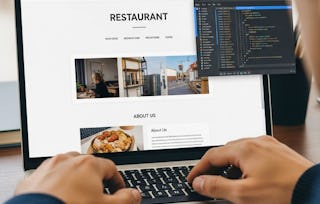
This course offers a step-by-step guide to building a fully functional and responsive website for a real client. Starting from understanding client requirements, the course shows all aspects of website development. It covers topics from lessons on coding a website header and navigation menu, crafting a responsive homepage and menu page using Bootstrap and CSS to resolving potential website resize issues for a seamless mobile experience. The course emphasizes hands-on learning, guiding learners in creating a restaurant website. Through building the restaurant website, learners will gain expertise in requirements gathering, website design and development, responsive web design, and ensuring a visually appealing and user-friendly website that works across all devices.
Ready for some REAL fun? This course is it! We'll go over some basics of interacting with a client when managing a web site project and then go visit a real client at their place of business (a Chinese restaurant), help the owner figure out what she wants in a site, and get acquainted with the restaurant in general. We'll spend the rest of the course building a real web site for this business from scratch and you'll get to sit next to me and watch as the site comes together.
涵盖的内容
23个视频5篇阅读材料5个作业1次同伴评审
显示有关单元内容的信息
23个视频•总计200分钟
Lecture 27, Part 1: Visit with the Client•11分钟
Lecture 27, Part 2: Visit with the Client (Field Trip)•9分钟
Lecture 28: Design Overview•9分钟
Lecture 29: Some Ground Rules and Overview of Setup•11分钟
Lecture 30, Part 1: Coding Basics of Navbar Header•9分钟
Lecture 30, Part 2: Coding Basics of Navbar Header•8分钟
Lecture 31: Coding Button for Future Collapsible Menu•7分钟
Lecture 32, Part 1: Coding Nav Menu Buttons•11分钟
Lecture 32, Part 2: Coding Nav Menu Buttons•4分钟
Lecture 33, Part 1: Fixing Navbar Layout, Text, and Dropdown Menus•8分钟
Lecture 33, Part 2: Fixing Navbar Layout, Text, and Dropdown Menus•5分钟
Lecture 34: Coding the Jumbotron•11分钟
Lecture 35, Part 1: Coding Navigation Tiles•11分钟
Lecture 35, Part 2: Coding Navigation Tiles•13分钟
Lecture 36, Part 1: Coding the Footer•11分钟
Lecture 36, Part 2: Coding the Footer•3分钟
Lecture 37, Part 1: Coding the Menu Categories•14分钟
Lecture 37, Part 2: Coding the Menu Categories•6分钟
Lecture 38, Part 1: Coding the Single Menu Category Page•12分钟
Lecture 38, Part 2: Coding the Single Menu Category Page•14分钟
Lecture 38, Part 3: Coding the Single Menu Category Page•8分钟
Lecture 39: Testing the Mobile Version on a Real Phone•5分钟
Module 3 Wrap-Up•0分钟
5篇阅读材料•总计24分钟
Welcome to Course 3: Coding the Static Restaurant Site•5分钟
The mission of The Johns Hopkins University is to educate its students and cultivate their capacity for life-long learning, to foster independent and original research, and to bring the benefits of discovery to the world.
would have given a 5 star but the program needs to be updated and some lessons need to be longer
J
JS
5·
已于 Oct 14, 2024审阅
Good course that shows how to implment a design based on the material previously learned.
B
BD
5·
已于 Mar 31, 2026审阅
It was a detailed step by step visual coding lesson. After a few times practicing, you can have your own website! Special thanks to the instructor Mr. Yaakov!
When will I have access to the lectures and assignments?
To access the course materials, assignments and to earn a Certificate, you will need to purchase the Certificate experience when you enroll in a course. You can try a Free Trial instead, or apply for Financial Aid. The course may offer 'Full Course, No Certificate' instead. This option lets you see all course materials, submit required assessments, and get a final grade. This also means that you will not be able to purchase a Certificate experience.
What will I get if I subscribe to this Specialization?
When you enroll in the course, you get access to all of the courses in the Specialization, and you earn a certificate when you complete the work. Your electronic Certificate will be added to your Accomplishments page - from there, you can print your Certificate or add it to your LinkedIn profile.
Is financial aid available?
Yes. In select learning programs, you can apply for financial aid or a scholarship if you can’t afford the enrollment fee. If fin aid or scholarship is available for your learning program selection, you’ll find a link to apply on the description page.