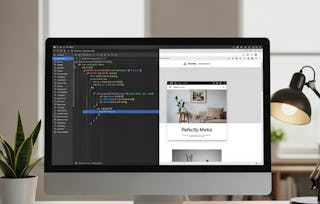
In this course, you will learn how to use CSS to control the appearance, layout and responsiveness of web pages. Through interactive, guided lab activities on Coursera, you will style existing HTML pages and build responsive layouts using modern techniques such as CSS Grid, ensuring your designs work well across a range of screen sizes and devices.
You will explore the principles of responsive and accessible design, learning what web accessibility means and why it matters for users, organisations and society. Using hands-on exercises, you will apply practical techniques to improve accessibility, including testing pages with assistive technologies and automated accessibility checking tools, then fixing common issues to meet recognised standards.
The course also introduces advanced CSS features such as variables, selectors, transitions and animations. By applying these in guided labs, you will develop efficient, maintainable and accessible stylesheets that reflect current best practice in modern web design.
This week, you will begin working with CSS, the language that controls the look and layout of web pages. You’ll start by exploring the basics of CSS and how it applies styles to HTML, then practise using it to change colours, fonts, and spacing. Next, you’ll move on to CSS Grid, a powerful tool for creating responsive layouts that adapt to different screen sizes. By the end, you’ll understand how CSS works, how to structure responsive designs, and how to use grids effectively to create modern, professional web pages.
涵盖的内容
2个视频6篇阅读材料1个作业3个非评分实验室
显示有关单元内容的信息
2个视频•总计4分钟
Introduction to the CSS course•3分钟
Introduction: Introduction to web page layout with CSS•1分钟
6篇阅读材料•总计65分钟
Course structure and navigation•15分钟
How to learn effectively on this course•15分钟
Course syllabus•10分钟
Model answer – Introduction to CSS•5分钟
Model answer – CSS grids•10分钟
Model answer – Responsive CSS and responsive grids•10分钟
1个作业•总计15分钟
Check your understanding: Web page layout with CSS•15分钟
3个非评分实验室•总计90分钟
Intro to CSS lab•30分钟
CSS grids•30分钟
Responsive CSS•30分钟
Introduction to accessibility
第 2 单元•小时 后完成
单元详情
This week, you will learn what web accessibility means and why it is essential for inclusive design. You’ll start by exploring the definition of accessibility and see how assistive technologies, such as screen readers, help users navigate websites. Through guided labs, you’ll experience common accessibility challenges, such as visual impairments, and learn techniques to make your pages more usable for everyone. You’ll also examine the business case for accessibility, understanding its impact on user experience and organisational success. By the end, you’ll understand both the practical steps and the ethical and commercial reasons for making websites accessible.
涵盖的内容
3个视频2篇阅读材料4个作业
显示有关单元内容的信息
3个视频•总计21分钟
Introduction: Introduction to accessibility•1分钟
Definition of accessibility•11分钟
Screen reader demo•9分钟
2篇阅读材料•总计20分钟
Activity – Screen readers•10分钟
The business case for accessibility•10分钟
4个作业•总计48分钟
Check your understanding: Accessibility•15分钟
Defining accessibility•9分钟
Screen reader•9分钟
The business case for accessibility•15分钟
Testing website accessibility and usability
第 3 单元•小时 后完成
单元详情
This week, you will learn how to evaluate and improve the accessibility of websites. You’ll start by using automated tools to test for common accessibility issues, then explore practical steps to fix these problems. You’ll apply accessibility principles to real HTML examples, ensuring your pages meet standards for usability and inclusivity. By the end, you’ll be able to identify accessibility issues, correct them, and understand why accessibility is essential for ethical and professional web design.
涵盖的内容
3个视频3个作业1个非评分实验室
显示有关单元内容的信息
3个视频•总计18分钟
Introduction: Testing webs accessibility and usability•1分钟
Automatic accessibility testing•11分钟
How to rectify accessibility issues•6分钟
3个作业•总计33分钟
Check your understanding: Testing websites for accessibility and usability•15分钟
Automatic accessibility testing•9分钟
Rectifying accessibility issues•9分钟
1个非评分实验室•总计30分钟
Evaluating and improving website accessibility•30分钟
Advanced CSS
第 4 单元•小时 后完成
单元详情
This week, you’ll learn advanced CSS techniques to make your designs more dynamic and efficient. You’ll work with CSS variables for reusable themes, add transitions and simple animations, use advanced selectors and pseudo-elements, and explore modern layout tips. You’ll also cover performance best practices and optimise your CSS for accessibility. Finally, you’ll apply everything in a capstone project to create a polished, professional design.
The University of London is a federal University which includes 17 world leading Colleges. With extensive experience in distance learning since 1858, University of London has enriched the lives of thousands of students, delivering high quality degrees across the globe. Today, University of London is a global leader in flexible study, offering degree programmes to over 45,000 students in over 190 countries, delivering world-leading research across the world. To find out more about University of London, visit www.london.ac.uk
When will I have access to the lectures and assignments?
To access the course materials, assignments and to earn a Certificate, you will need to purchase the Certificate experience when you enroll in a course. You can try a Free Trial instead, or apply for Financial Aid. The course may offer 'Full Course, No Certificate' instead. This option lets you see all course materials, submit required assessments, and get a final grade. This also means that you will not be able to purchase a Certificate experience.
What will I get if I subscribe to this Specialization?
When you enroll in the course, you get access to all of the courses in the Specialization, and you earn a certificate when you complete the work. Your electronic Certificate will be added to your Accomplishments page - from there, you can print your Certificate or add it to your LinkedIn profile.
Is financial aid available?
Yes. In select learning programs, you can apply for financial aid or a scholarship if you can’t afford the enrollment fee. If fin aid or scholarship is available for your learning program selection, you’ll find a link to apply on the description page.