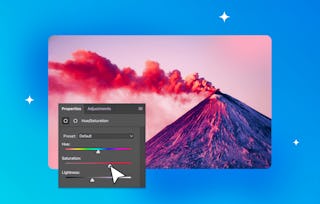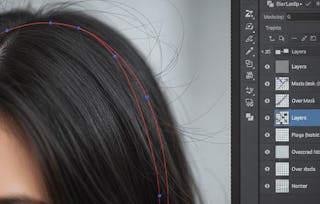
Explore essential image editing techniques and design principles that elevate your projects. Whether you’re creating composites, advertisements, or digital art, this course will equip you with the skills to make your photos stand out.
By the end of this course, you’ll have the confidence and skills to transform your creative ideas into visually compelling content that resonates with your audience. Join us and take the first step toward becoming a Photoshop-savvy creative!
Welcome to the exciting world of Photoshop. This module is your gateway to mastering the basics and setting the stage for your creative journey. You'll start by exploring the course syllabus and diving into hands-on projects. We'll guide you through setting up your Adobe Creative Cloud account and downloading Photoshop. Learn to navigate the Photoshop workspace, both on your desktop and online, mastering essential tools and panels. This module blends essential knowledge with creative exploration, setting you up for success in your Photoshop journey. Let’s get started and make some magic.
涵盖的内容
5个视频18篇阅读材料1个作业3个插件
显示有关单元内容的信息
5个视频•总计15分钟
Get to know the app•2分钟
Introduction to layers•4分钟
Get to know selections•4分钟
Get to know layer masks•3分钟
Get to know the adjustments•3分钟
18篇阅读材料•总计180分钟
Course outline•10分钟
Pixel Perfect: Your Final Creative Challenge in Photoshop•10分钟
Adobe Photoshop: web and desktop •10分钟
Explore Adobe Photoshop on the web — your creative starting point•10分钟
Adobe Photoshop vs. Adobe Illustrator: explained•10分钟
Introduction to the Adobe Photoshop Workspace•10分钟
Expanded Adobe Photoshop essentials•10分钟
How to find inspiration for your next design•10分钟
Tutorial: Get to know Adobe Photoshop•10分钟
Understanding layers•10分钟
Tutorial: Get to know layers•10分钟
Experimentation and curiosity in creative work•10分钟
Tutorial: The importance of experimentation and curiosity in creative projects•10分钟
Tutorial: Get to know layer masks•10分钟
Tutorial: Practice using adjustment layers•10分钟
Key takeaways•10分钟
Learning Paths and Certifications•10分钟
Join the Adobe Community•10分钟
1个作业•总计50分钟
Quiz: Getting started with Photoshop•50分钟
3个插件•总计5分钟
Introduction to the course•1分钟
Everyone Can Collage•3分钟
What's new in Photoshop•1分钟
Generative AI in Photoshop
第 2 单元•小时 后完成
单元详情
Welcome to the cutting-edge world of Generative AI in Photoshop. This module will transform your creative process with powerful AI tools. You'll explore how Generative AI accelerates creation, hear from other creatives, and understand the opportunities and risks from Adobe’s AI study. Dive into features like Generate Image, Generative Fill, Generative Expand, Generate Similar, and Generate Background, and see how AI can help you add, remove, and expand content in seconds. This module blends innovative AI technology with practical application, setting you up for limitless creative possibilities. Let’s dive in and unleash the power of AI in your Photoshop projects.
涵盖的内容
6个视频6篇阅读材料2个作业1个插件
显示有关单元内容的信息
6个视频•总计17分钟
Discover Generative AI in Photoshop•2分钟
How to apply multiple Generative AI techniques in Photoshop•5分钟
Tip: Remove shadows from a portrait using Generative Fill•2分钟
Tip: Enhance detail of generated content •2分钟
Tip: Create image overlays with Generate Image•3分钟
Tip: Control Generative Fill with selection brush opacity•3分钟
6篇阅读材料•总计60分钟
Accelerate the creation process with Generative AI in Photoshop•10分钟
The evolution of roles with Generative AI•10分钟
Feature highlights: Generative AI in Photoshop•10分钟
Tutorial: Generative AI in Photoshop•10分钟
The Tip Jar: Pro tips for Generative AI in Photoshop•10分钟
Key takeaways•10分钟
2个作业•总计80分钟
Quiz: Generative AI in Photoshop•50分钟
Quiz: Mastering AI in Adobe Photoshop•30分钟
1个插件•总计15分钟
Introduction to Generative AI in Photoshop•15分钟
Image editing
第 3 单元•小时 后完成
单元详情
Welcome to image editing. This module will equip you with the fundamental skills needed to enhance and transform your photos using Photoshop. You'll start by diving into the basics of photo editing, learning how to crop, adjust lighting and color, and sharpen images through a series of concise, informative videos. Next, you'll explore best practices from Photoshop experts, including optimal file management and tips for using Adobe Fonts. You'll also get a sneak peek into the Photoshop beginner tip jar, which will help you organize and edit your layers efficiently. This module blends essential techniques with expert tips, setting you up for success in your photo editing journey.
Let’s get started and bring your photos to life.
涵盖的内容
11个视频17篇阅读材料2个作业1个插件
显示有关单元内容的信息
11个视频•总计35分钟
How to crop a photo•4分钟
Edit part of a photo with the Adjustment Brush tool•4分钟
Change the look of a photo with Adjustment Presets•3分钟
How to adjust photo color with Hue/Saturation•4分钟
How to save a photo in the best format•5分钟
How to sharpen a photo nondestructively•5分钟
Tip: Give your layers meaningful names •2分钟
Tip: Quickly find a specific layer•2分钟
Tip: Organize your layers with layer groups•2分钟
Tip: Edit a single layer with adjustment layers•2分钟
Tip: Edit a group of layers with an adjustment layer•3分钟
17篇阅读材料•总计170分钟
Tutorial: How to crop a photo•10分钟
Tutorial:Adjustment Brush tool•10分钟
Tutorial: Adjustment Presets•10分钟
Tutorial: How to adjust photo lighting with levels•10分钟
Identifying and correcting mistakes•10分钟
Tutorial: How to adjust photo color with Hue/Saturation•10分钟
Tutorial: How to save a photo in the best format•10分钟
Crafting, finding and editing professional product photography•10分钟
Tutorial: How to sharpen a photo nondestructively•10分钟
Adobe Photoshop best practices•10分钟
The tip jar: Pro tips for layer management in Photoshop•10分钟
Best practices for organizing image assets•10分钟
How to give, receive, and implement creative feedback•10分钟
Use case: The importance of efficiency•10分钟
Tutorial: Limit adjustments to one layer with clipping masks•10分钟
Adobe Photoshop in action: Streamlining workflows in a large enterprise•10分钟
Key takeaways•10分钟
2个作业•总计80分钟
Quiz: Productivity techniques and conclusion•50分钟
Quiz: Image editing essentials•30分钟
1个插件•总计15分钟
Everyone Can Go Big | Adobe Photoshop•15分钟
Photo compositing
第 4 单元•小时 后完成
单元详情
Welcome to photo compositing. This module will teach you how to create stunning composite images using Photoshop. You'll start by understanding what composite photography is, why it's used, and see examples of its application. Learn to plan a composite image through concept development and sketching ideas. Watch videos on adding photos into a composite, building with layer masks, replacing skies, combining images smoothly, using blending modes, and matching colors. Next, generate background ideas, explore design options with Generative Fill, and add realistic details to your composites. Finally, you'll bring everything together in a final project, review an exemplar, complete a final assessment, and explore the next steps. This module blends creative techniques with practical application, setting you up to create compelling composite images. Let’s get started and unleash your creativity.
涵盖的内容
10个视频17篇阅读材料2个作业1个插件
显示有关单元内容的信息
10个视频•总计48分钟
Add photos into a composite•4分钟
Build a composite with a layer mask •6分钟
Replace the sky in an image•5分钟
Combine images with a smooth transition•5分钟
Create a composite with blending modes•5分钟
Match color in a composite•5分钟
Generate background ideas for a composite •5分钟
Explore design options using Generative Fill•5分钟
Generate objects for a composite •4分钟
Add realistic details to a composite using Generative Fill•3分钟
17篇阅读材料•总计170分钟
Introduction to photo compositing•10分钟
Tutorial: Add photos into a composite •10分钟
Tutorial: Build a composite with a layer mask•10分钟
Tutorial: Replace the sky in an image•10分钟
Tutorial: Practice smooth transitions with the gradient tool•10分钟
Tutorial: Create a composite with blending modes•10分钟
Tutorial: Match color in a composite•10分钟
Tutorial: Generate background ideas for a composite•10分钟
Tutorial: Explore design options using Generative Fill•10分钟
Tutorial: Generate objects for a composite•10分钟
Tutorial: Add realistic details to a composite using Generative Fill•10分钟
Key takeaways•10分钟
Final stretch•10分钟
Final project exemplar•10分钟
Final project•10分钟
Turn your final project into a creative portfolio with Behance•10分钟
Adobe empowers everyone, everywhere to imagine, create and bring any digital experience to life. Through the Adobe Digital Academy, Adobe aims to equip learners and teachers with AI literacy, content creation and digital marketing skills to help people thrive in the modern workforce. This global initiative builds on Adobe’s commitment to empower learners of all backgrounds to succeed in today’s job market and unleash creativity for all.
When will I have access to the lectures and assignments?
To access the course materials, assignments and to earn a Certificate, you will need to purchase the Certificate experience when you enroll in a course. You can try a Free Trial instead, or apply for Financial Aid. The course may offer 'Full Course, No Certificate' instead. This option lets you see all course materials, submit required assessments, and get a final grade. This also means that you will not be able to purchase a Certificate experience.
What will I get if I subscribe to this Certificate?
When you enroll in the course, you get access to all of the courses in the Certificate, and you earn a certificate when you complete the work. Your electronic Certificate will be added to your Accomplishments page - from there, you can print your Certificate or add it to your LinkedIn profile.