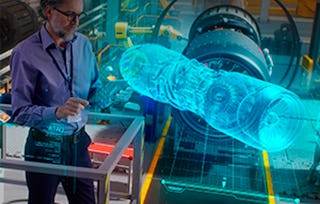
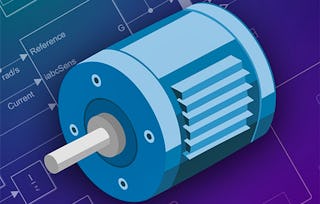
As technology advances at an unprecedented pace, engineers are challenged to design complex systems with greater efficiency and accuracy. This course teaches you skills in system modeling, simulation, and analysis using Simulink®, a modeling and simulation environment used by the world's top engineering companies to design, simulate, and test systems before moving to hardware.
The course provides practical, project-based learning that mirrors real-world challenges. You will gain hands-on experience in creating dynamic models, simulating real-world systems, and optimizing performance, making you a valuable asset to any engineering team. Key skills you'll develop include system design, control systems, and simulation analysis.
Throughout the course, you will use Simulink, a block diagram environment used to design systems with multidomain models, simulate before moving to hardware, and deploy without writing code. You will be provided with a free Simulink license to complete your work in the course.
Whether you're an aspiring engineer or a seasoned professional, you'll acquire skills that are highly sought after in engineering fields such as automotive, aerospace, robotics, and more.
涵盖的内容
6个视频8篇阅读材料2个作业
显示有关单元内容的信息
6个视频•总计48分钟
Course Introduction•3分钟
Introduction to the Simulink Environment•7分钟
Guided Lesson: Building a Simulink Model•9分钟
Modeling Continuous Systems•7分钟
Guided Lesson: Building a DC Motor•15分钟
Solver Settings for Continuous Systems•7分钟
8篇阅读材料•总计54分钟
Access to Simulink•10分钟
Course Files•5分钟
Meet Your Instructors•2分钟
Digital Credential•2分钟
Math Operations library •10分钟
Introduction to Guided Lessons•5分钟
Introduction to the Course Example•10分钟
Discontinuities and Zero-Crossing Detection•10分钟
2个作业•总计60分钟
Introduction to Simulink•30分钟
Modeling Continuous Systems•30分钟
Modeling Discrete Systems
第 2 单元•小时 后完成
单元详情
涵盖的内容
4个视频1篇阅读材料2个作业
显示有关单元内容的信息
4个视频•总计34分钟
Modeling Discrete Systems•10分钟
Guided Lesson: Discrete Systems•13分钟
Solver Settings for Discrete Systems•5分钟
Guided Lesson: Look-Up Table and MATLAB Function Block•7分钟
1篇阅读材料•总计10分钟
Programming Constructs in Simulink•10分钟
2个作业•总计45分钟
Modeling Discrete Systems•30分钟
Modeling Logical Operations•15分钟
Creating Subsystems and Testing
第 3 单元•小时 后完成
单元详情
涵盖的内容
4个视频1篇阅读材料1个作业
显示有关单元内容的信息
4个视频•总计36分钟
Introduction to Subsystems•6分钟
Guided Lesson: Creating Subsystems and Masks•12分钟
Creating Test Scenarios and Comparing Simulations•7分钟
Guided Lesson: Testing and Comparing Simulations•11分钟
1篇阅读材料•总计10分钟
Workspace Hierarchy•10分钟
1个作业•总计30分钟
Creating Subsystems and Testing•30分钟
Reference Components, Additional Modeling Concepts, and Final Project
第 4 单元•小时 后完成
单元详情
涵盖的内容
4个视频9篇阅读材料7个作业1个插件
显示有关单元内容的信息
4个视频•总计23分钟
Creating Reusable Components•8分钟
Conditionally Executed Subsystems•5分钟
Guided Lesson: Custom Libraries•7分钟
Course Summary•3分钟
9篇阅读材料•总计64分钟
Additional Features of Model References•10分钟
Introduction to Additional Modeling Concepts•10分钟
Algebraic Loops•10分钟
Vector Signals and Buses•10分钟
Final Project Introduction•10分钟
Final Project Summary•5分钟
Claim Your Credential•2分钟
MathWorks Certification Program•5分钟
Continue Learning•2分钟
7个作业•总计210分钟
Model and Subsystem References•15分钟
Additional Modeling Concepts•30分钟
Task 1: Modeling the Unforced Pendulum•40分钟
Task 2: Modeling the Forced Pendulum•40分钟
Task 3: Integrating the Pendulum into the Plant•40分钟
A great course to understand how to use matlab and simulink for your design purposes. As a mechanical engineering undergraduate, this is much more useful for us. Thank you
R
RF
5·
已于 Jan 20, 2025审阅
real helpfull for those that are interested in simulink
S
SS
5·
已于 Apr 18, 2025审阅
I learned a lot! Very nice course. Thank you so much.
Yes. A free license is available to learners enrolled in the course. You must have a computer capable of running Simulink. You can view the system requirements here.
When will I have access to the lectures and assignments?
To access the course materials, assignments and to earn a Certificate, you will need to purchase the Certificate experience when you enroll in a course. You can try a Free Trial instead, or apply for Financial Aid. The course may offer 'Full Course, No Certificate' instead. This option lets you see all course materials, submit required assessments, and get a final grade. This also means that you will not be able to purchase a Certificate experience.
What will I get if I subscribe to this Certificate?
When you enroll in the course, you get access to all of the courses in the Certificate, and you earn a certificate when you complete the work. Your electronic Certificate will be added to your Accomplishments page - from there, you can print your Certificate or add it to your LinkedIn profile.