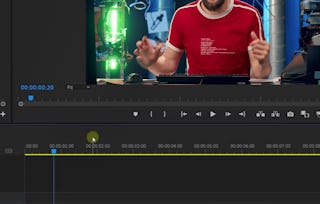
By the end of this course, you will be able to edit with intention in Adobe Premiere Pro—shaping timing, pacing, and rhythm to convey clear meaning, organizing your workflow efficiently, and finishing your videos with polished audio and color grading. In this class, Abner Cross guides you through a balanced journey that blends creative storytelling principles with hands-on technical mastery.
This course is divided into three essential parts: defining your message and creative brief, understanding editing theory and storytelling techniques, and mastering Premiere Pro tools to execute your vision seamlessly. You’ll explore concepts like the Kuleshov Effect, cut-on-action, rhythm, keyframing, transitions, and effect controls—while building an efficient folder structure and workflow that supports long-term growth.
Ideal for beginners and intermediate creators, this class is perfect for aspiring professional editors, remote freelancers, and content creators who want to elevate their storytelling. To succeed, you’ll need a computer and Adobe Premiere Pro installed—no prior professional experience required. If you’re ready to move beyond simply cutting clips and start crafting meaningful stories, this course gives you both the mindset and the mechanics to do it.
This module introduces the creative mindset behind effective video editing. Learners explore the fundamentals of storytelling, clarify the message they want to communicate, and examine how pacing shapes emotional response. By the end of the module, learners are prepared to approach editing decisions with intention and narrative clarity.
涵盖的内容
4个视频1篇阅读材料1个作业
显示有关单元内容的信息
4个视频•总计20分钟
Introduction•3分钟
Class Project & Set Up•3分钟
Storytelling: Your Message & Goals•7分钟
Rhythm & Pacing•6分钟
1篇阅读材料•总计10分钟
Project Instructions•10分钟
1个作业•总计30分钟
Module 1 Quiz•30分钟
Core Editing Techniques for Visual Flow
第 2 单元•小时 后完成
单元详情
This module bridges storytelling theory with hands-on editing practice. Learners explore essential cutting techniques, discover how music supports narrative tone, and become familiar with Adobe Premiere Pro’s workspace. Together, these lessons build confidence in making purposeful editing choices.
涵盖的内容
4个视频1个作业1个讨论话题
显示有关单元内容的信息
4个视频•总计17分钟
Editing Techniques: Cut on Action & Jump Cuts•4分钟
Editing Techniques: Other Types of Cuts•5分钟
Video Curation & The Role of Music•3分钟
Adobe Premiere Workspace•4分钟
1个作业•总计30分钟
Module 2 Quiz•30分钟
1个讨论话题•总计10分钟
New Discussion Prompt•10分钟
Building and Shaping Your Edit
第 3 单元•小时 后完成
单元详情
This module focuses on assembling and refining the core structure of an edit. Learners import and organize footage, build sequences, and explore powerful tools for manipulating visuals over time. These skills enable greater creative control while maintaining a smooth editing workflow.
涵盖的内容
4个视频1个作业1个讨论话题
显示有关单元内容的信息
4个视频•总计25分钟
Importing & Organising Your Footage•4分钟
Setting up a Sequence•5分钟
Manipulating Your Footage•9分钟
Effect Controls: Blend Modes & Key framing•8分钟
1个作业•总计30分钟
Module 3 Quiz•30分钟
1个讨论话题•总计10分钟
New Discussion Prompt•10分钟
Creating Seamless Meaning Through Editing Choices
第 4 单元•小时 后完成
单元详情
This module explores how subtle editing decisions shape audience perception. Learners experiment with transitions, shot order, and effects to guide emotional and narrative interpretation. The focus is on intentionality—using tools to serve the story rather than distract from it.
涵盖的内容
3个视频1个作业1个讨论话题
显示有关单元内容的信息
3个视频•总计20分钟
Seamlessness: Transitions & Speed Ramping•8分钟
Order of Shots: Kuleshov Effect•3分钟
Conveying Meaning with Effects•9分钟
1个作业•总计30分钟
Module 4 Quiz•30分钟
1个讨论话题•总计10分钟
New Discussion Prompt•10分钟
Polishing Your Story with Graphics, Audio, and Color
第 5 单元•小时 后完成
单元详情
This module focuses on refining an edit through visual and audio enhancements. Learners add graphics, clean up sound, and apply color grading to elevate the overall quality of their project. These finishing touches help transform a rough cut into a cohesive story.
涵盖的内容
3个视频1个作业1个讨论话题
显示有关单元内容的信息
3个视频•总计16分钟
Essential Graphics•4分钟
Basic Audio & Music Editing•5分钟
Final Touches: Color Grading•7分钟
1个作业•总计30分钟
Module 5 Quiz•30分钟
1个讨论话题•总计10分钟
New Discussion Prompt•10分钟
Finalizing, Exporting, and Reflecting on Your Project
第 6 单元•小时 后完成
单元详情
The final module guides learners through reviewing their completed project, preparing it for export, and sharing it confidently. By reflecting on both creative and technical decisions, learners leave the course with a clear understanding of their storytelling growth and next steps.
Skillshare is an online learning community where you can take classes from real working creatives. Unlock personal and professional growth, build your skills, make connections, and find your happy place.
When will I have access to the lectures and assignments?
To access the course materials, assignments and to earn a Certificate, you will need to purchase the Certificate experience when you enroll in a course. You can try a Free Trial instead, or apply for Financial Aid. The course may offer 'Full Course, No Certificate' instead. This option lets you see all course materials, submit required assessments, and get a final grade. This also means that you will not be able to purchase a Certificate experience.
What will I get if I subscribe to this Specialization?
When you enroll in the course, you get access to all of the courses in the Specialization, and you earn a certificate when you complete the work. Your electronic Certificate will be added to your Accomplishments page - from there, you can print your Certificate or add it to your LinkedIn profile.
Is financial aid available?
Yes. In select learning programs, you can apply for financial aid or a scholarship if you can’t afford the enrollment fee. If fin aid or scholarship is available for your learning program selection, you’ll find a link to apply on the description page.