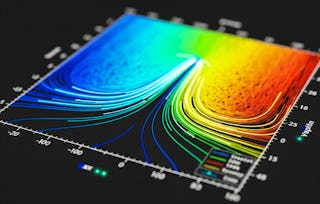
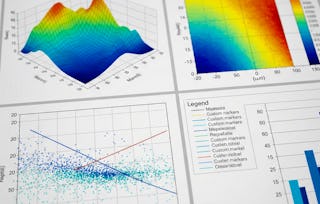
This advanced-level course equips learners with the skills to design, customize, and interpret complex data visualizations using Matplotlib. Through a structured progression from foundational customization techniques to specialized plotting methods, learners will explore paths, transformations, colors, colormaps, text rendering, annotations, axes customization, and 3D visualization.
Starting with advanced path and transformation features, participants will apply precision control over plot structure and aesthetics. They will then evaluate and select optimal colormaps and scaling strategies to represent diverse datasets effectively. The course further enables learners to integrate advanced annotation techniques and Axes Artist functionalities to enhance plot clarity and context. In the final modules, learners will construct dynamic 3D plots and specialized visuals to communicate complex, multi-dimensional information.
By the end of this course, learners will be able to create, modify, and optimize publication-quality visualizations tailored to their analytical needs, ensuring both accuracy and visual impact.
This module guides learners through advanced concepts in Matplotlib, focusing on creating and manipulating paths, applying visual effects, and mastering the transformation framework for precise control over plot elements. Learners will explore complex path structures, use path effects for enhanced visual styling, and work with various coordinate systems—including blended transformations—for dynamic and context-aware positioning in data visualizations.
涵盖的内容
7个视频3个作业
显示有关单元内容的信息
7个视频•总计57分钟
Introduction to Matplotlib Advance Level•3分钟
Path Tutorial•11分钟
More on Path Tutorial•5分钟
Path Effect Guide•10分钟
Transformation Level 1•9分钟
Transformation Level 1 and Example•6分钟
Transformation Level 2 and Example•12分钟
3个作业•总计50分钟
Advanced Path Techniques•10分钟
Mastering Transformations•10分钟
Advanced Paths, Effects, and Transformations•30分钟
Colormaps, Colorbars, and Scaling
第 2 单元•小时 后完成
单元详情
This module explores advanced customization and application of colors in Matplotlib visualizations. Learners will master techniques for defining custom colors, creating and modifying colorbars, designing colormaps for specific datasets, and applying various normalization and scaling methods to enhance data interpretation. Special attention is given to selecting colormaps that align with data characteristics and ensuring perceptual accuracy through lightness analysis.
涵盖的内容
11个视频3个作业
显示有关单元内容的信息
11个视频•总计102分钟
Colors Tutorial•11分钟
Customized Colorbars•11分钟
Creating Colormaps Basic•8分钟
Creating Colormaps Advance•10分钟
Logarithmic and Symmetric Logarithmic•10分钟
Power-Law and Discrete bounds•9分钟
Two Linear Ranges•6分钟
Choosing Colormaps Overview•10分钟
Classes of Colormaps•12分钟
Lightness of Matplotlib Colormaps•6分钟
Lightness of Matplotlib Colormaps Continue•8分钟
3个作业•总计50分钟
Custom Colors and Colorbars•10分钟
Data Scaling and Colormap Choices•10分钟
Colormaps, Colorbars, and Scaling•30分钟
Text, Annotations, and Layout Mastery
第 3 单元•小时 后完成
单元详情
This module focuses on enhancing Matplotlib visualizations with advanced text formatting, legends, annotations, and creative connection styles. Learners will explore methods to position and style text, apply annotations in both Cartesian and polar coordinates, use advanced connection patches, and create dynamic effects such as zoom indicators between plots. Through these techniques, learners will be able to add clarity, context, and visual appeal to their data presentations.
涵盖的内容
12个视频3个作业
显示有关单元内容的信息
12个视频•总计104分钟
Basic Text Command•11分钟
Legends and Annotations•12分钟
Text Properties•8分钟
Layouts•4分钟
Basic Annotation•10分钟
Annotation Polar•8分钟
Fancy Demo•7分钟
Connectionstyle Demo•10分钟
Using Connection Patch•12分钟
Zoom Effect Between Axes•7分钟
Simple Example•6分钟
Simple Example Continue•6分钟
3个作业•总计50分钟
Text and Annotations•10分钟
Advanced Annotation Effects•10分钟
Text, Annotations, and Layout Mastery•30分钟
Axes Artists, 3D Visuals, and Specialized Plots
第 4 单元•小时 后完成
单元详情
This module explores Matplotlib’s advanced axes customization and specialized plotting capabilities. Learners will master the Axes Artist toolkit for creating floating axes, parasite axes, and anchored artists, while also integrating LaTeX rendering, custom grid layouts, and multi-page PDF exports. The module further extends into 3D plotting, where learners will create and customize three-dimensional lines, bars, and coordinate systems to visualize complex datasets with clarity and precision.
涵盖的内容
14个视频3个作业
显示有关单元内容的信息
14个视频•总计129分钟
Saving Multipage PDF Files•7分钟
Modifying Parameters•9分钟
Text Rendering with LaTex•8分钟
Simple Axes Grid•8分钟
Parasite Axes•8分钟
Anchored Artists•6分钟
RGB Axes•8分钟
Simple Axes Artist•10分钟
Axes Artist with Parasite Axes•12分钟
Floating Axis Demo Part 1•10分钟
Floating Axis Demo Part 2•12分钟
Axes Artist Demo•14分钟
Line 3D•8分钟
Bar 3D•8分钟
3个作业•总计50分钟
Advanced Axes and Artists•10分钟
3D Plotting•10分钟
Axes Artists, 3D Visuals, and Specialized Plots•30分钟
Welcome to EDUCBA, a place where knowledge is limitless! We provide a wide selection of instructive and engaging programmes designed to empower students of all ages and experiences. From the convenience of your home, start a revolutionary educational experience with our cutting-edge technologies courses and experienced instructors.
When will I have access to the lectures and assignments?
To access the course materials, assignments and to earn a Certificate, you will need to purchase the Certificate experience when you enroll in a course. You can try a Free Trial instead, or apply for Financial Aid. The course may offer 'Full Course, No Certificate' instead. This option lets you see all course materials, submit required assessments, and get a final grade. This also means that you will not be able to purchase a Certificate experience.
What will I get if I subscribe to this Specialization?
When you enroll in the course, you get access to all of the courses in the Specialization, and you earn a certificate when you complete the work. Your electronic Certificate will be added to your Accomplishments page - from there, you can print your Certificate or add it to your LinkedIn profile.
Is financial aid available?
Yes. In select learning programs, you can apply for financial aid or a scholarship if you can’t afford the enrollment fee. If fin aid or scholarship is available for your learning program selection, you’ll find a link to apply on the description page.