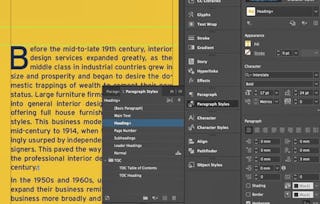
This course is all about taking your editorial layouts and workflow even further. Your course instructor, Kate Silver, will dive deep into tables, text data management, object styles, blending modes, and subtle effects to give your designs that polished, professional edge. If you’ve been doing things the long way in InDesign, I’ll show you faster, smarter methods.
By the end of this course, you’ll be able to:
* Build clean, data-driven tables and stylish timetables
* Apply object styles, shadows, and graphic effects with confidence
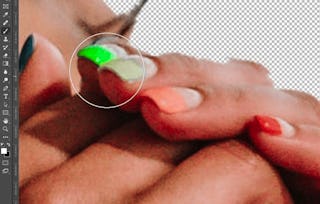
* Remove image backgrounds using clipping paths
* Use tools like the Story Editor, Gridify, and Find/Change to save hours
You’ll design projects like a table-based coffee book, flyers, and an editorial-style timetable, all while learning 60+ tools and time-saving tricks.
This class is perfect for designers looking to improve their technical layout skills and produce print or digital pieces for real clients.
You’ll need a working knowledge of InDesign and some experience using paragraph styles and page layout features to succeed.
Instructor bio:
Kate Silver is a graphic and shoe designer, Top Teacher on Skillshare, and instructor at the UK’s leading Adobe training center in London. She creates beginner and advanced courses on design software including Adobe Photoshop, Illustrator, InDesign, Canva, and more.
With experience designing for brands like Jimmy Choo and Sophia Webster, Kate brings hands-on expertise to her classes, making complex tools simple and accessible. Her lessons focus on clarity, practical projects, and smart shortcuts to help students build real skills with confidence.
Unlock the power of tables in InDesign. This module will guide you through converting data into tables, designing structured layouts, and enhancing them with visual elements like images and graphics to boost clarity and professionalism in your documents.
涵盖的内容
3个视频2篇阅读材料1个作业1个讨论话题
显示有关单元内容的信息
3个视频•总计37分钟
Tables! Text Data To Table•16分钟
Tables! Design a Timetable•16分钟
Tables! Graphics Inside Tables 6•4分钟
2篇阅读材料•总计45分钟
Reading Intro•15分钟
Project Instructions•30分钟
1个作业•总计30分钟
Module 1 Quiz•30分钟
1个讨论话题•总计10分钟
New Discussion Prompt•10分钟
Working with Effects and Styles
第 2 单元•小时 后完成
单元详情
Learn how to apply non-destructive visual effects, streamline your design process with object styles, and work with image backgrounds using clipping paths. These techniques will help elevate the visual impact and efficiency of your layout projects.
涵盖的内容
3个视频1个作业1个讨论话题
显示有关单元内容的信息
3个视频•总计15分钟
Effects: Shadows & Blending Modes•7分钟
Saving Object Styles•3分钟
Clipping Paths: Removing Backgrounds•5分钟
1个作业•总计30分钟
Module 2 Quiz•30分钟
1个讨论话题•总计10分钟
New Discussion Prompt•10分钟
Table of Contents Design Challenge
第 3 单元•小时 后完成
单元详情
Take on a creative project centered around designing a table of contents for a real-world use case. You'll explore layout principles, thematic consistency, and automatic updating methods to ensure your documents stay organized and visually sharp.
涵盖的内容
5个视频1个作业1个讨论话题
显示有关单元内容的信息
5个视频•总计38分钟
3 Extra Project Brief•1分钟
Table of Contents: Book•13分钟
TOC Cities: Table Decor Book•12分钟
TOC Cities: Designing Extra Page - Choose a City•9分钟
TOC Cities: Updating Table of Contents•4分钟
1个作业•总计30分钟
Module 3 Quiz•30分钟
1个讨论话题•总计10分钟
New Discussion Prompt•10分钟
Building a Multi-Page Interior Design Brochure
第 4 单元•小时 后完成
单元详情
Step into advanced layout management with this module on brochure design. You’ll explore how parent pages, color swatches, and style saving tools help build cohesive, multi-page documents—perfect for portfolios and client-ready presentations.
涵盖的内容
4个视频1个作业1次同伴评审
显示有关单元内容的信息
4个视频•总计41分钟
Multi Parent Pages for Interior Design : Introduction•5分钟
Interior Brochure: ASE Color Swatches•6分钟
Parent Page 1: Page Numbers•12分钟
Parent Page 2: Saving Styles & Space between Same Styles•17分钟
Skillshare is an online learning community where you can take classes from real working creatives. Unlock personal and professional growth, build your skills, make connections, and find your happy place.
When will I have access to the lectures and assignments?
To access the course materials, assignments and to earn a Certificate, you will need to purchase the Certificate experience when you enroll in a course. You can try a Free Trial instead, or apply for Financial Aid. The course may offer 'Full Course, No Certificate' instead. This option lets you see all course materials, submit required assessments, and get a final grade. This also means that you will not be able to purchase a Certificate experience.
What will I get if I subscribe to this Specialization?
When you enroll in the course, you get access to all of the courses in the Specialization, and you earn a certificate when you complete the work. Your electronic Certificate will be added to your Accomplishments page - from there, you can print your Certificate or add it to your LinkedIn profile.
Is financial aid available?
Yes. In select learning programs, you can apply for financial aid or a scholarship if you can’t afford the enrollment fee. If fin aid or scholarship is available for your learning program selection, you’ll find a link to apply on the description page.