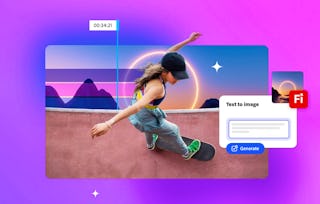
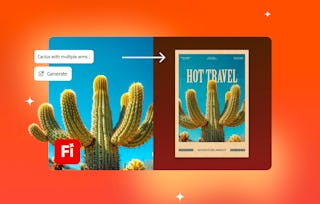
Whether you're brainstorming solo or collaborating across teams, this course will help you turn ideas into impact using Adobe Firefly Boards. You’ll learn how to gather inspiration, remix concepts, refine creative direction, and share polished boards with collaborators or downstream tools like Adobe Photoshop. Through hands-on activities and real-world use cases, you’ll build skills in visual storytelling, creative organization, and team collaboration. This course will help you unlock the power of multimodal ideation in modern creative workflows.
您将学到什么
Organize and structure creative inspiration using Adobe Firefly Boards.
Remix and refine visual ideas using AI-powered tools and references.
Collaborate with teams using shared boards, comments, and versioning.
Export and integrate creative boards into other Creative Cloud apps.
您将获得的技能
- Creativity
- Adobe Photoshop
- Asset Management
- Communication
- Prompt Engineering
- Storyboarding
- Collaboration
- Collaborative Software
- Creative Thinking
- Creative Design
- Storytelling
- Content Creation
- Branding
- Adobe Creative Cloud
- Graphic and Visual Design
- Workflow Management
- Generative AI
- Visual Design
- Design Thinking
- Conceptual Design
要了解的详细信息

添加到您的领英档案
November 2025
6 项作业
了解顶级公司的员工如何掌握热门技能

该课程共有3个模块
In this module, you’ll learn how to transform ideas into compelling concept boards that communicate a clear narrative. Explore tools that help you organize inspiration, enhance creative workflows, and guide AI generation with sub-prompts and style references.
涵盖的内容
3个视频4篇阅读材料2个作业
This module focuses on evolving ideas through remixing and refining visual variations, helping you develop fresh brand identities and dynamic storyboards for video projects. You’ll learn how to evaluate AI-generated outputs to select the most effective treatments, explore product designs efficiently, and practice using preset boards for common workflows. By the end, you’ll have the skills to synthesize ideas into polished, professional concepts that align with your creative vision.
涵盖的内容
4个视频2个作业
This module teaches you how to organize large-picture thinking on an infinite canvas, apply layout strategies for professional brand presentations, and simplify the review process through comments and annotations. You’ll also learn to use linked assets for seamless updates and practice creating polished boards ready for final delivery. By the end, you’ll have the confidence to share, iterate, and present designs that align teams and impress stakeholders.
涵盖的内容
5个视频2篇阅读材料2个作业
从 Entrepreneurship 浏览更多内容
人们为什么选择 Coursera 来帮助自己实现职业发展


常见问题
To access the course materials, assignments and to earn a Certificate, you will need to purchase the Certificate experience when you enroll in a course. You can try a Free Trial instead, or apply for Financial Aid. The course may offer 'Full Course, No Certificate' instead. This option lets you see all course materials, submit required assessments, and get a final grade. This also means that you will not be able to purchase a Certificate experience.
When you purchase a Certificate you get access to all course materials, including graded assignments. Upon completing the course, your electronic Certificate will be added to your Accomplishments page - from there, you can print your Certificate or add it to your LinkedIn profile.
Yes. In select learning programs, you can apply for financial aid or a scholarship if you can’t afford the enrollment fee. If fin aid or scholarship is available for your learning program selection, you’ll find a link to apply on the description page.
更多问题
提供助学金,