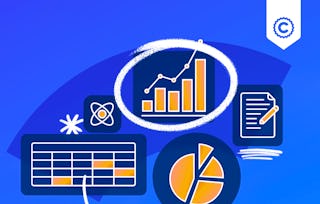
Dynamic Dashboards: Report and Visualize Data is an intermediate course for financial analysts and business professionals who need to transform raw data into powerful, self-service reporting tools. In a world of static spreadsheets, this course teaches you how to build truly interactive dashboards in Excel that empower stakeholders to explore data and discover insights on their own. You will move beyond basic charts to construct a full-fledged dashboard, connecting to data and using PivotTables, PivotCharts, and slicers to create a dynamic, user-driven experience.

Dynamic Dashboards: Report and Visualize Data

本课程是 Financial Data Analysis with Excel 专项课程 的一部分

位教师:LearningMate
包含在 中
您将学到什么
Learners will construct interactive Excel dashboards and optimize their design for clarity and impact using data visualization best practices.
要了解的详细信息
了解顶级公司的员工如何掌握热门技能

积累特定领域的专业知识
- 向行业专家学习新概念
- 获得对主题或工具的基础理解
- 通过实践项目培养工作相关技能
- 获得可共享的职业证书

该课程共有2个模块
Module 1 focuses on the foundational, technical skill of building an interactive dashboard. This module lays the technical foundation for creating dynamic dashboards. Learners will go from a raw dataset to a functioning, interactive report. You will learn how to structure data, build PivotTables and PivotCharts to summarize information, and integrate slicers that allow users to filter and explore the data in real time, turning a static report into a powerful analytical tool.
涵盖的内容
2个视频2篇阅读材料2个作业
This module addresses the crucial next step: transforming a mere collection of charts into a powerful tool for communication and decision-making. A dashboard fails if it is cluttered, confusing, or unintentionally misleading. In this module, you will learn the art and science of effective data visualization, focusing on how to design with the end-user in mind. We will move from theory to practice, exploring foundational principles from world-renowned experts like Stephen Few. You will learn to critically evaluate every visual element on your screen, asking the core question: "Does this serve the data?" Through a series of compelling case studies, guided critiques, and hands-on formatting exercises, you will master the techniques to eliminate "chart junk," maximize your data–ink ratio, and adhere to strict readability standards. By the end of this module, you will be able to confidently defend your design choices and optimize any dashboard for maximum clarity, impact, and user comprehension.
涵盖的内容
3个视频2篇阅读材料3个作业
获得职业证书
将此证书添加到您的 LinkedIn 个人资料、简历或履历中。在社交媒体和绩效考核中分享。
位教师

提供方
从 Finance 浏览更多内容
人们为什么选择 Coursera 来帮助自己实现职业发展

Felipe M.

Jennifer J.

Larry W.

Chaitanya A.
常见问题
To access the course materials, assignments and to earn a Certificate, you will need to purchase the Certificate experience when you enroll in a course. You can try a Free Trial instead, or apply for Financial Aid. The course may offer 'Full Course, No Certificate' instead. This option lets you see all course materials, submit required assessments, and get a final grade. This also means that you will not be able to purchase a Certificate experience.
When you enroll in the course, you get access to all of the courses in the Specialization, and you earn a certificate when you complete the work. Your electronic Certificate will be added to your Accomplishments page - from there, you can print your Certificate or add it to your LinkedIn profile.
Yes. In select learning programs, you can apply for financial aid or a scholarship if you can’t afford the enrollment fee. If fin aid or scholarship is available for your learning program selection, you’ll find a link to apply on the description page.
更多问题
提供助学金,
¹ 本课程的部分作业采用 AI 评分。对于这些作业,将根据 Coursera 隐私声明使用您的数据。