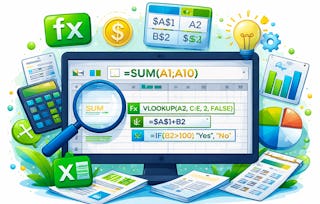
Excel Functions and References Fast, is your express path to transforming spreadsheets from fragile data lists into powerful, automated, and error-resistant tools. Designed for analysts, managers, and any professional who relies on Excel, this course will help you reclaim your time and produce work you can trust.
You will master the two foundational pillars of spreadsheet efficiency. First, you will learn the five essential functions—SUM, AVERAGE, COUNT, IF, and CONCAT—that form the backbone of all data analysis. Through hands-on labs, you will practice summarizing datasets, automating decisions, and cleaning text data in seconds. Next, you will tackle the single most critical skill for creating scalable models: cell referencing. Inspired by real-world, multi-billion-dollar spreadsheet errors, you will learn why and how to permanently "lock" key cells in your formulas using absolute references. Say goodbye to the dreaded #REF! error and broken calculations forever. This skill will empower you to build complex tables and dashboards with a single, elegant formula that can be copied across thousands of rows without failing.
By the end of this course, you will have built two job-ready assets: a personalized function cheat-sheet to accelerate your daily work, and a robust payroll calculator that proves your ability to create scalable, professional models. Stop fixing broken spreadsheets and start building intelligent ones.
This module is your first step toward transforming Excel from a simple data entry tool into a powerful engine for analysis. We move beyond manual calculations and the tedious, error-prone process of manually checking numbers. You will discover the five foundational functions (SUM, AVERAGE, COUNT, IF, and CONCAT) that are the building blocks of virtually all data work. Starting with a real-world scenario that reveals the high cost of manual errors, you will learn not just what these functions do, but why they are essential for professional accuracy and efficiency. Through expert-led screencasts and two distinct hands-on labs, you will immediately apply these skills to summarize sales data, automate decision-making with logical tests, and merge text to create clean, dynamic labels. The module culminates in you creating a personalized function cheat-sheet—a job-ready tool to accelerate your daily work.
涵盖的内容
2个视频1篇阅读材料3个作业
显示有关单元内容的信息
2个视频•总计10分钟
Calculate and Tally Data Efficiently•5分钟
Automate Decisions and Text with IF and CONCAT•5分钟
1篇阅读材料•总计8分钟
Excel's Five Foundational Functions•8分钟
3个作业•总计55分钟
Hands-On Learning (HOL): Summarizing a Quarterly Sales Report•20分钟
Hands-On Learning (HOL): Creating Dynamic Status Labels•25分钟
Knowledge Check: Mastering Core Functions•10分钟
Building Scalable Formulas with Cell Referencing
第 2 单元•小时 后完成
单元详情
This module unlocks the secret to making your Excel skills truly scalable and professional. If you have ever dragged a formula down a column only to see it break and produce a stream of errors, this is where you solve that problem forever. We tackle cell referencing—the critical difference between an amateur spreadsheet and a robust, professional model. Inspired by the cautionary tale of the multi-billion dollar JPMorgan "London Whale" error, you will understand why mastering relative, absolute, and mixed references is a non-negotiable skill for anyone serious about data integrity. You will learn how to "lock" specific cells in your formulas, allowing you to build complex tables, financial models, and dashboards with a single, elegant formula that can be copied across thousands of rows without failing. Through challenging hands-on exercises, you will build the muscle memory needed to construct formulas that are not only correct but are also flexible, scalable, and error-resistant.
涵盖的内容
2个视频1篇阅读材料3个作业
显示有关单元内容的信息
2个视频•总计10分钟
The Billion-Dollar Spreadsheet Error•5分钟
Lock Your Formulas: Applying Reference Types•5分钟
1篇阅读材料•总计7分钟
Understanding Relative, Absolute, and Mixed References•7分钟
3个作业•总计65分钟
Hands-On Learning (HOL): Building a Simple Commission Calculator•20分钟
Coursera brings together a diverse network of subject matter experts who have demonstrated their expertise through professional industry experience or strong academic backgrounds. These instructors design and teach courses that make practical, career-relevant skills accessible to learners worldwide.
When will I have access to the lectures and assignments?
To access the course materials, assignments and to earn a Certificate, you will need to purchase the Certificate experience when you enroll in a course. You can try a Free Trial instead, or apply for Financial Aid. The course may offer 'Full Course, No Certificate' instead. This option lets you see all course materials, submit required assessments, and get a final grade. This also means that you will not be able to purchase a Certificate experience.
What will I get if I subscribe to this Specialization?
When you enroll in the course, you get access to all of the courses in the Specialization, and you earn a certificate when you complete the work. Your electronic Certificate will be added to your Accomplishments page - from there, you can print your Certificate or add it to your LinkedIn profile.
Is financial aid available?
Yes. In select learning programs, you can apply for financial aid or a scholarship if you can’t afford the enrollment fee. If fin aid or scholarship is available for your learning program selection, you’ll find a link to apply on the description page.