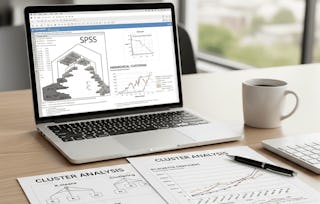
This hands-on course empowers learners to apply, analyze, and evaluate unsupervised learning techniques—specifically clustering—using Microsoft Excel. Designed for learners with basic Excel knowledge, the course walks through the entire data clustering pipeline: from preparing and structuring datasets to building and refining logic-based cluster assignments.
Learners begin by identifying and selecting relevant data attributes, then construct conditional logic using Excel functions to group entries into meaningful clusters. Through progressive stages, learners extend these clusters across datasets and visualize patterns using scatter plots. The course culminates with a workbook-wide review where students evaluate the effectiveness of their clustering logic and summarize their analytical outcomes.
By the end of the course, learners will confidently use Excel as a lightweight yet powerful tool for clustering analysis—without relying on programming or external machine learning platforms.
This module introduces learners to the foundational steps required to prepare data and implement clustering workflows in Excel. It covers understanding and formatting datasets, selecting relevant variables, and progressively building clustering logic using Excel functions. Learners will explore both initial and advanced clustering strategies to construct meaningful groupings and analyze structured patterns in data through conditional logic and iterative refinement.
涵盖的内容
9个视频4个作业
显示有关单元内容的信息
9个视频•总计76分钟
Introduction to Project•4分钟
Data Introduction•10分钟
Data Format and Selection•10分钟
Clustering Phase Part 1•11分钟
Clustering Phase Part 2•7分钟
Clustering Phase Part 3•7分钟
Clustering Phase Part 4•7分钟
Clustering Phase Part 5•11分钟
Clustering Phase Part 6•10分钟
4个作业•总计60分钟
Graded - Data Preparation and Clustering Process•30分钟
Understanding the Data•10分钟
Initial Clustering Workflow•10分钟
Advanced Clustering Steps•10分钟
Cluster Visualization and Final Analysis
第 2 单元•小时 后完成
单元详情
This module focuses on the final stages of clustering using Excel, where learners apply, verify, and visualize their clustering logic. Through iterative enhancements and scatter plot construction, students will learn how to visually validate cluster groupings and complete the analytical process. The module concludes with a comprehensive review and consolidation of all clustering activities, ensuring learners can confidently assess and present their results.
涵盖的内容
5个视频3个作业
显示有关单元内容的信息
5个视频•总计48分钟
Clustering Phase Part 7•6分钟
Clustering Phase Part 8•9分钟
Scatter Plot•12分钟
Cluster Analysis Final Phasing•13分钟
Conclusion•7分钟
3个作业•总计50分钟
Graded - Cluster Visualization and Final Analysis•30分钟
Welcome to EDUCBA, a place where knowledge is limitless! We provide a wide selection of instructive and engaging programmes designed to empower students of all ages and experiences. From the convenience of your home, start a revolutionary educational experience with our cutting-edge technologies courses and experienced instructors.
When will I have access to the lectures and assignments?
To access the course materials, assignments and to earn a Certificate, you will need to purchase the Certificate experience when you enroll in a course. You can try a Free Trial instead, or apply for Financial Aid. The course may offer 'Full Course, No Certificate' instead. This option lets you see all course materials, submit required assessments, and get a final grade. This also means that you will not be able to purchase a Certificate experience.
What will I get if I purchase the Certificate?
When you purchase a Certificate you get access to all course materials, including graded assignments. Upon completing the course, your electronic Certificate will be added to your Accomplishments page - from there, you can print your Certificate or add it to your LinkedIn profile.
Is financial aid available?
Yes. In select learning programs, you can apply for financial aid or a scholarship if you can’t afford the enrollment fee. If fin aid or scholarship is available for your learning program selection, you’ll find a link to apply on the description page.