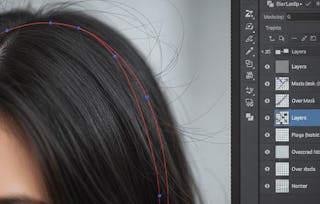
This short course empowers learners to edit images with precision and creativity using Photoshop on the web. Through hands-on practice, learners will explore essential techniques for cropping, color correction, lighting control, and final image prep. Whether you're editing for storytelling, branding, or personal projects, this course helps you build confidence and fluency in core photo editing workflows. Learners will also explore how AI-powered tools can support creative polish and non-destructive finishing techniques.
Learn how to crop, retouch, and adjust images using intuitive tools in Adobe Photoshop on the web. This module builds foundational editing skills for composition and clarity.
涵盖的内容
5篇阅读材料1个作业1个插件
显示有关单元内容的信息
5篇阅读材料•总计50分钟
Course Outline•10分钟
Adobe Photoshop: web and desktop •10分钟
Explore Photoshop on the Web—Your Creative Starting Point •10分钟
Learning Paths and Certifications•10分钟
Join the Adobe Community•10分钟
1个作业•总计30分钟
Knowledge check•30分钟
1个插件•总计15分钟
Introduction to the course•15分钟
Module 2: Lighting and color control
第 2 单元•小时 后完成
单元详情
This module introduces you to lighting and color control techniques that go beyond the basics. You'll explore how to enhance visual tone, emphasize key colors, and apply adjustments across multiple layers using grouped edits and targeted enhancements.
涵盖的内容
6个视频5篇阅读材料1个作业
显示有关单元内容的信息
6个视频•总计22分钟
Work with color•5分钟
Use foreground and background colors•2分钟
Choose a color•4分钟
How to adjust photo color with Hue/Saturation•4分钟
How to sharpen a photo nondestructively•5分钟
Edit parts of an image in Photoshop on iPhone •3分钟
5篇阅读材料•总计50分钟
Practice using Color•10分钟
How to adjust photo color with Hue/Saturation•10分钟
Practice: How to sharpen a photo nondestructively•10分钟
Introducing Photoshop on iPhone•10分钟
Practice Editing parts of an image in Photoshop on iPhone •10分钟
1个作业•总计30分钟
Knowledge check•30分钟
Module 3: Finishing Touches
第 3 单元•小时 后完成
单元详情
In this module, you'll finalize your edits by organizing layers, enhancing detail, and preparing images for export. You'll also explore how AI-powered tools can support creative polish and nondestructive finishing techniques.
涵盖的内容
4个视频4篇阅读材料1个作业1个插件
显示有关单元内容的信息
4个视频•总计11分钟
Tip: Create image overlays with Generate Image•3分钟
Tip: Control Generative Fill with selection brush opacity•3分钟
Tip: Enhance detail of generated content •2分钟
Tip: Edit a group of layers with an adjustment layer•3分钟
4篇阅读材料•总计40分钟
Practice: How to adjust photo lighting with levels•10分钟
How to save a photo in the best format•10分钟
Turn your final project into a creative portfolio with Behance•10分钟
Adobe empowers everyone, everywhere to imagine, create and bring any digital experience to life. Through the Adobe Digital Academy, Adobe aims to equip learners and teachers with AI literacy, content creation and digital marketing skills to help people thrive in the modern workforce. This global initiative builds on Adobe’s commitment to empower learners of all backgrounds to succeed in today’s job market and unleash creativity for all.
When will I have access to the lectures and assignments?
To access the course materials, assignments and to earn a Certificate, you will need to purchase the Certificate experience when you enroll in a course. You can try a Free Trial instead, or apply for Financial Aid. The course may offer 'Full Course, No Certificate' instead. This option lets you see all course materials, submit required assessments, and get a final grade. This also means that you will not be able to purchase a Certificate experience.
What will I get if I subscribe to this Specialization?
When you enroll in the course, you get access to all of the courses in the Specialization, and you earn a certificate when you complete the work. Your electronic Certificate will be added to your Accomplishments page - from there, you can print your Certificate or add it to your LinkedIn profile.
Is financial aid available?
Yes. In select learning programs, you can apply for financial aid or a scholarship if you can’t afford the enrollment fee. If fin aid or scholarship is available for your learning program selection, you’ll find a link to apply on the description page.