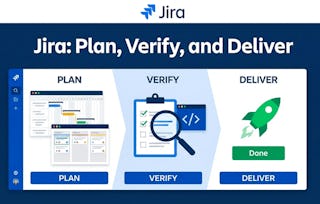
Jira for Quality Assurance Testing is a beginner-level course designed for aspiring QA professionals, developers, and project team members who want to master the fundamentals of software testing within the Jira ecosystem. This course offers a structured path to understanding and applying essential testing methodologies to ensure high software reliability and transparency.
You will learn to identify and differentiate between critical testing types, including smoke, regression, and exploratory testing, and understand their unique roles in the development lifecycle. Through practical, hands-on instruction, you will gain proficiency in executing manual test cases, meticulously documenting results, and attaching supporting evidence like screenshots and logs directly within Jira. The course emphasizes clear communication, enabling you to effectively explain testing objectives and outcomes to peers and stakeholders. By the end of this course, you will be equipped with the skills and tools necessary to implement systematic quality assurance processes, helping your team identify defects early, maintain consistent quality, and deliver reliable software with confidence.
This module lays the groundwork for effective quality assurance by introducing the core concepts of software testing. Learners will explore the "why" behind systematic testing and learn to distinguish between essential testing types—smoke, regression, and exploratory. Through engaging scenarios and real-world examples, this module builds the foundational knowledge needed to communicate effectively and make strategic decisions within a QA team.
涵盖的内容
2个视频1篇阅读材料2个作业
显示有关单元内容的信息
2个视频•总计11分钟
From Chaos to Clarity: A QA Transformation•6分钟
Smoke vs. Regression Testing: When to Use Each•6分钟
1篇阅读材料•总计5分钟
A Guide to Smoke, Regression, and Exploratory Testing•5分钟
Knowledge Check: Foundations of Software Testing Concepts•10分钟
Test Execution and Documentation in Jira
第 2 单元•小时 后完成
单元详情
This module transitions from theory to practice, focusing on the hands-on skills required to execute and document testing in Jira. Learners will learn how to write and follow structured test cases, record results accurately, and use evidence to support their findings. The module culminates in a final project where learners apply their skills to a real-world testing scenario, demonstrating their readiness to contribute to a formal QA process.
涵盖的内容
2个视频1篇阅读材料2个作业
显示有关单元内容的信息
2个视频•总计10分钟
The Power of Proof: Transforming QA with Documentation•5分钟
Executing a Manual Test in Jira•4分钟
1篇阅读材料•总计5分钟
The Anatomy of an Effective Test Case•5分钟
2个作业•总计40分钟
Final Project: Software Testing Report in Jira•30分钟
Hands-on Learning (HOL): Your First Test Case: Documenting a Login Feature•10分钟
Coursera brings together a diverse network of subject matter experts who have demonstrated their expertise through professional industry experience or strong academic backgrounds. These instructors design and teach courses that make practical, career-relevant skills accessible to learners worldwide.
When will I have access to the lectures and assignments?
To access the course materials, assignments and to earn a Certificate, you will need to purchase the Certificate experience when you enroll in a course. You can try a Free Trial instead, or apply for Financial Aid. The course may offer 'Full Course, No Certificate' instead. This option lets you see all course materials, submit required assessments, and get a final grade. This also means that you will not be able to purchase a Certificate experience.
What will I get if I subscribe to this Specialization?
When you enroll in the course, you get access to all of the courses in the Specialization, and you earn a certificate when you complete the work. Your electronic Certificate will be added to your Accomplishments page - from there, you can print your Certificate or add it to your LinkedIn profile.
Is financial aid available?
Yes. In select learning programs, you can apply for financial aid or a scholarship if you can’t afford the enrollment fee. If fin aid or scholarship is available for your learning program selection, you’ll find a link to apply on the description page.