By the end of this course, learners will be able to navigate the SPSS graphical user interface with confidence, manage datasets efficiently, perform data preparation and statistical analysis tasks, create meaningful visualizations, and use built-in help and diagnostic tools to troubleshoot common issues.
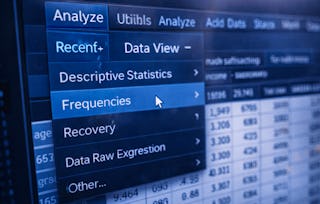
This course is designed to help learners build a strong, practical understanding of the SPSS GUI through a structured, menu-driven approach. Rather than focusing on complex formulas or programming, the course emphasizes hands-on familiarity with SPSS menus such as File, Edit, View, Analyze, Data, Transform, Graphs, Utilities, and Help. Learners will gain clarity on how each menu fits into the overall data analysis workflow, enabling faster and more accurate decision-making.
What makes this course unique is its complete GUI-first learning path, making SPSS accessible to beginners, non-programmers, and professionals who want to work efficiently without relying on syntax. Through step-by-step explanations and real-world navigation scenarios, learners will develop transferable skills that improve productivity, reduce errors, and build confidence when working with SPSS in academic, business, or research environments.
This module introduces learners to the SPSS graphical user interface (GUI) and core navigation elements, enabling them to confidently explore menus, manage files, and customize their workspace for efficient data analysis.
涵盖的内容
4个视频3个作业
显示有关单元内容的信息
4个视频•总计26分钟
Introduction to Course•5分钟
GUI understanding and User Training•4分钟
Understanding File Edit View Menus•12分钟
Understanding File Edit View Menus Continued•5分钟
3个作业•总计50分钟
Getting Comfortable with the SPSS Interface•30分钟
Welcome to SPSS and Its Interface•10分钟
Core Navigation – File, Edit, and View Menus•10分钟
Working with Data, Analysis, and Support Tools
第 2 单元•小时 后完成
单元详情
This module focuses on using SPSS menus to prepare data, perform statistical analysis, create visualizations, and access built-in utilities and help tools to support accurate and efficient analytical workflows.
涵盖的内容
4个视频3个作业
显示有关单元内容的信息
4个视频•总计39分钟
Understanding Analyze Menu•11分钟
Understanding Data and Transform Menus•7分钟
Understanding Graphs Utilities Menus•13分钟
Understanding Help Menu and Diagnostic Tool•7分钟
3个作业•总计50分钟
Working with Data, Analysis, and Support Tools•30分钟
Welcome to EDUCBA, a place where knowledge is limitless! We provide a wide selection of instructive and engaging programmes designed to empower students of all ages and experiences. From the convenience of your home, start a revolutionary educational experience with our cutting-edge technologies courses and experienced instructors.
When will I have access to the lectures and assignments?
To access the course materials, assignments and to earn a Certificate, you will need to purchase the Certificate experience when you enroll in a course. You can try a Free Trial instead, or apply for Financial Aid. The course may offer 'Full Course, No Certificate' instead. This option lets you see all course materials, submit required assessments, and get a final grade. This also means that you will not be able to purchase a Certificate experience.
What will I get if I subscribe to this Specialization?
When you enroll in the course, you get access to all of the courses in the Specialization, and you earn a certificate when you complete the work. Your electronic Certificate will be added to your Accomplishments page - from there, you can print your Certificate or add it to your LinkedIn profile.
Is financial aid available?
Yes. In select learning programs, you can apply for financial aid or a scholarship if you can’t afford the enrollment fee. If fin aid or scholarship is available for your learning program selection, you’ll find a link to apply on the description page.